
ComfyUI Anima Enhancer refines detail coherence in v1.0 release
A third-party ComfyUI extension that sharpens detail coherence in Stable Diffusion Anima outputs now runs on the model's final v1.0 release with adjusted denoise settings.
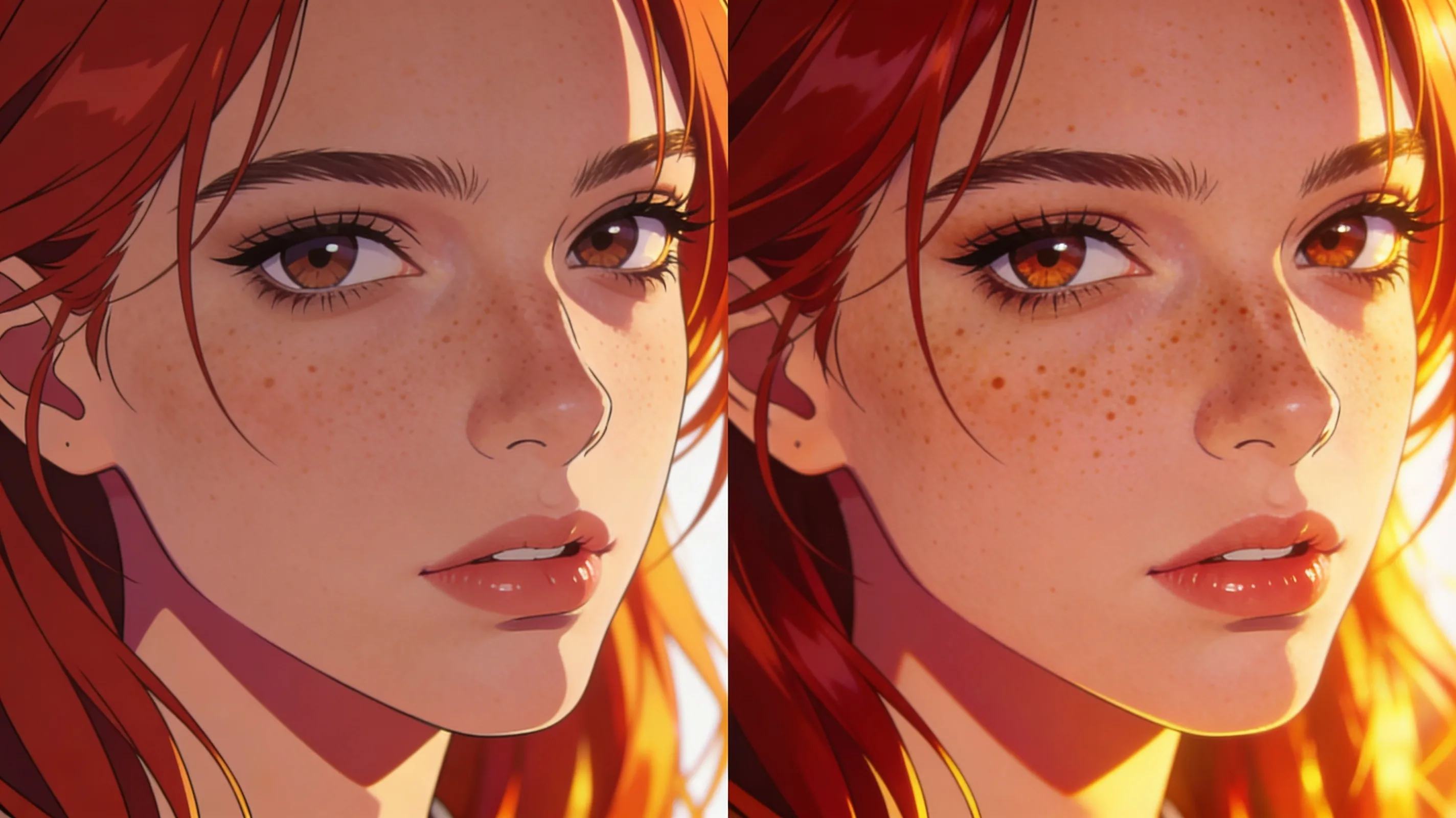
ComfyUI_Anima_Enhancer, a custom node built during Anima's preview phase, continues to work on the model's final v1.0 release with one tweak: lowering the denoise_end_pct parameter to 0.6. The extension refines linework and object coherence—headphone cords, rooftop edges, hair tips—without changing composition or adding runtime overhead. Side-by-side comparisons posted this week show consistent detail improvements across default ComfyUI prompts, HuggingFace examples, and Civitai sample seeds.
The node targets a specific pain point in diffusion workflows: garbled fine detail that emerges even when the overall composition is strong. Hair tips, thin cables, architectural edges—elements that occupy only a few pixels—often resolve as malformed blobs in standard sampling. ComfyUI_Anima_Enhancer addresses this by adjusting the detail coherence pass without altering the broader scene structure. Improvements are subtle at normal viewing distance but become clear when zoomed, a pattern familiar to practitioners who spend hours chasing clean linework in character portraits and product renders.
The extension works natively with Anima_baseV10, the checkpoint released this month. Installation runs through ComfyUI's built-in extension manager, and the node slots into existing workflows without restructuring. The developer's recommended settings for v1.0—denoise_end_pct at 0.6—differ from the preview-era defaults, reflecting changes in the base model's sampling behavior. The node is available via the ComfyUI registry at registry.comfy.org/publishers/xanthius/nodes/comfyui-anima-enhancer.